 Skip to content
Description
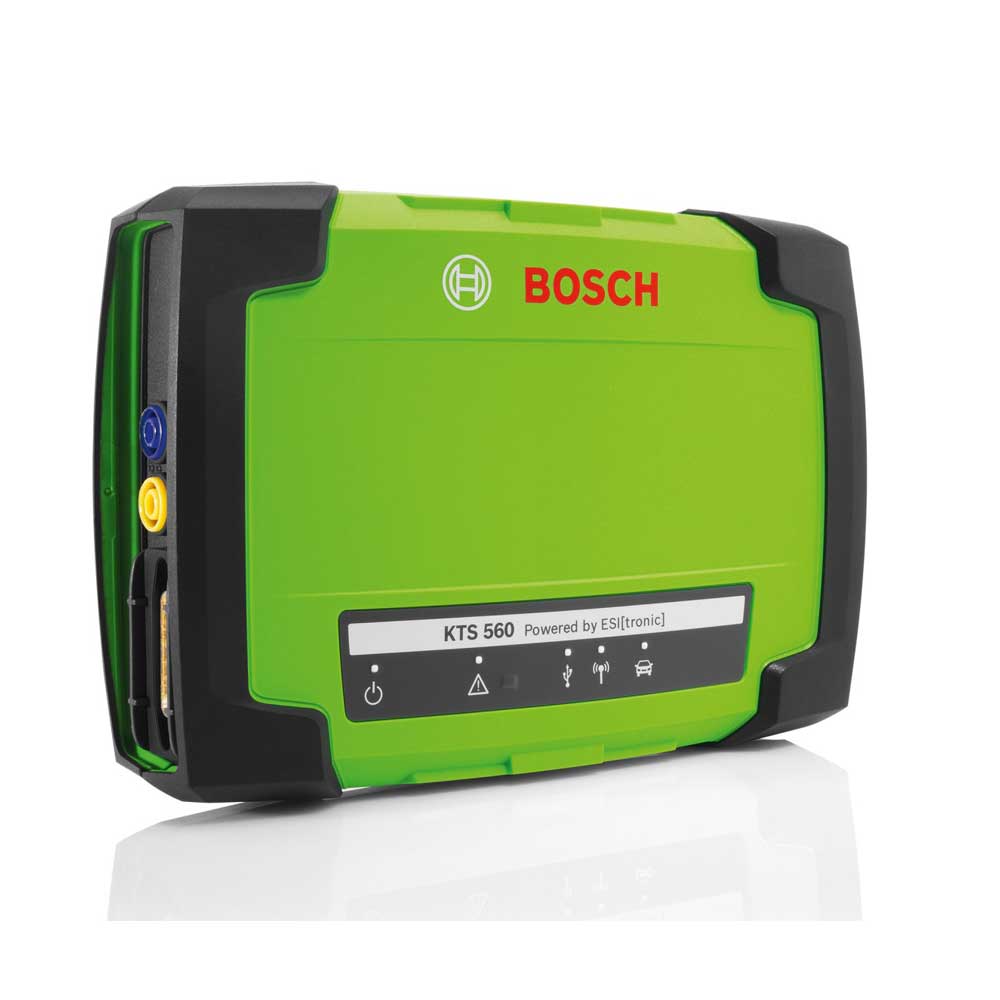
Bosch KTS560 Diagnostic Tools
Product Description
KTS 560 – ECU Diagnostic tool for 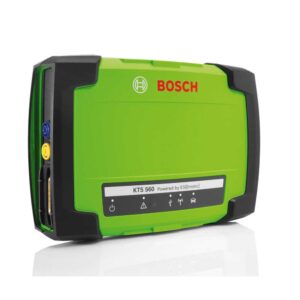 all current and future vehicles, with multimeter
The many innovative features of the KTS 560 diagnosis module will speed up your workshop operations, improve accuracy and enhance potential.
The module’s advanced, fully compliant PassThru interface enables easy reprogramming of vehicle manufacturer software, and the ability to run parallel diagnosis – the module can communicate with up to three CAN and K-Line interfaces simultaneously – means faster, more productive output in the long run. The KTS 560 – it’s the way to boost diagnostic efficiency in your professional workshop.
Built-in 1-channel multimeter: Quick and convenient way to resolve issues with voltage, current and resistance
Ability to reprogram control unit as per Euro 5 / Euro 6 / PassThru and access technical repair information: For a broad range of specific vehicle brand information at your fingertips
Ethernet-interface (DoIP – Diagnostics over Internet Protocol): Be prepared today to meet the requirements of tomorrow. Supports current and future vehicle interfaces based on Ethernet
Compatible with Bosch Easy Connect and other Bosch vehicle-specific adapters: Easily extend diagnostic capabilities with choice of vehicle-manufacturer-specific non-OBD cables
Powerful and stable 100 m-range Bluetooth connectivity: Operate at maximum efficiency and get increased coverage around the workshop
Optimally designed to use ESI[tronic] 2.0 Online software (purchased separately): Enjoy much more than just diagnostics with intelligent troubleshooting and support for rapid repair and maintenance
Works on any Windows PC with ESI[tronic] 2.0 Online installed and licensed: Control diagnosis and repair in a truly versatile way that suits your workshop set-up
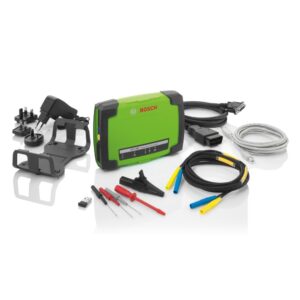
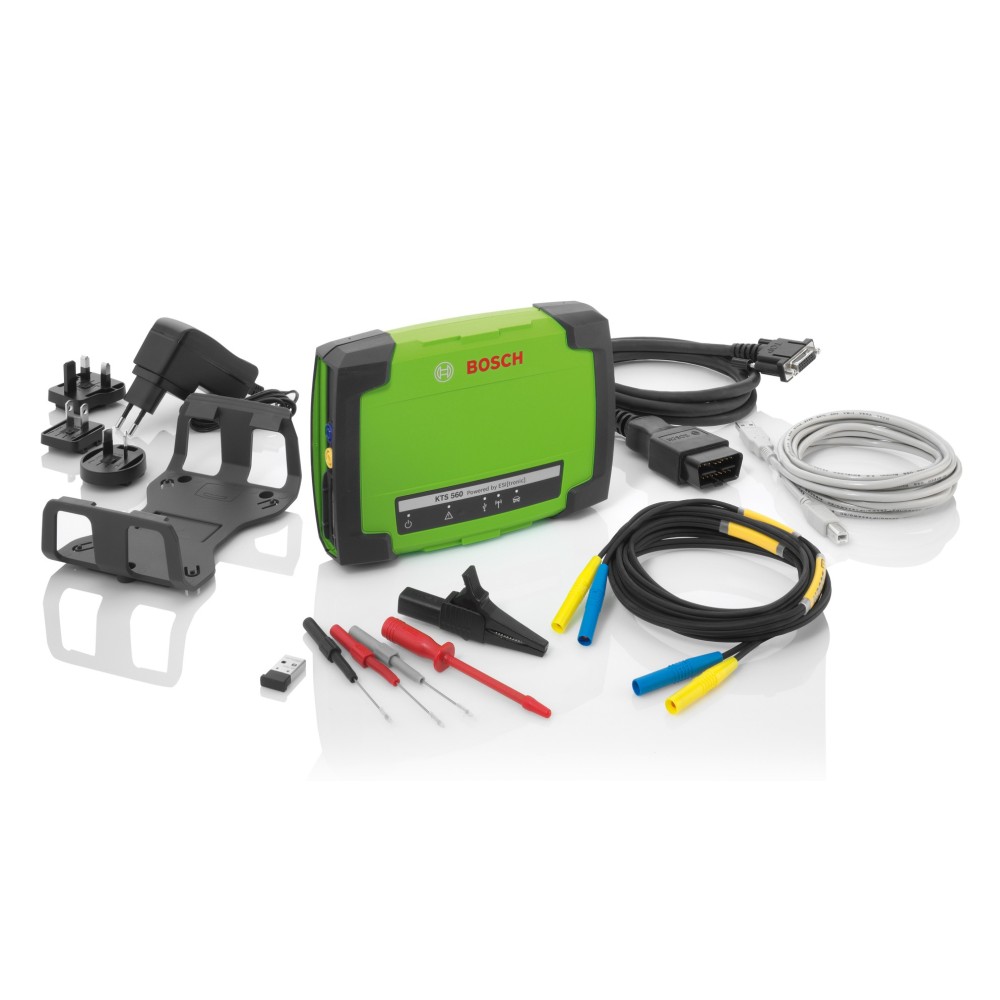
Kit Contents
- OBD connection cable (1.5 m)
- Power supply unit
- Test lead/probe set
- Tapping clamp black
- Test tip red
- USB connecting cable (3 m)
- Mounting kit
- Trolley mounting parts set
- Bluetooth® USB adaptor
- Operating manual
- Storage case
Optional Accessories
| BMW 20-pin | |||||
| Daewoo/GM/Holden 12-pin | |||||
| Fiat-Group 3-pin | |||||
| Honda 3/5-pin | |||||
| Hyundai/Mitsubishi 12-pin | |||||
| KIA 20-pin | |||||
| Mazda 25-pin | |||||
| Nissan 14-pin | |||||
| OBD-Adapter PKW-NKW 24/12V | |||||
| Renault PkW 12-pin | |||||
| Toyota “Avensis” without pin 1 and 9 | |||||
| Toyota 17-pin | |||||
| Toyota 23-pin | |||||
| VW/ Audi 2pin | |||||
| Suzuki 6-pin | |||||
| Mercedes Benz 14-pin (Sprinter, Atego) | |||||
| SD-Adapter Set 1 in case (BMW, Citroën, Peugoet, Fiat, Lancia, Alfa, Renault) | |||||
| SD-Adapter Set 2 in case (BMW, Citroën, Peugoet, Fiat, Lancia, Alfa, Toyota, VW, Audi, MB) | |||||
| Connection line OBD cable to Uni 4 for vehicle-specific adapters with banana sockets | |||||
USB Bluetooth Extension 1.8m for Bluetooth USB Adapter
|
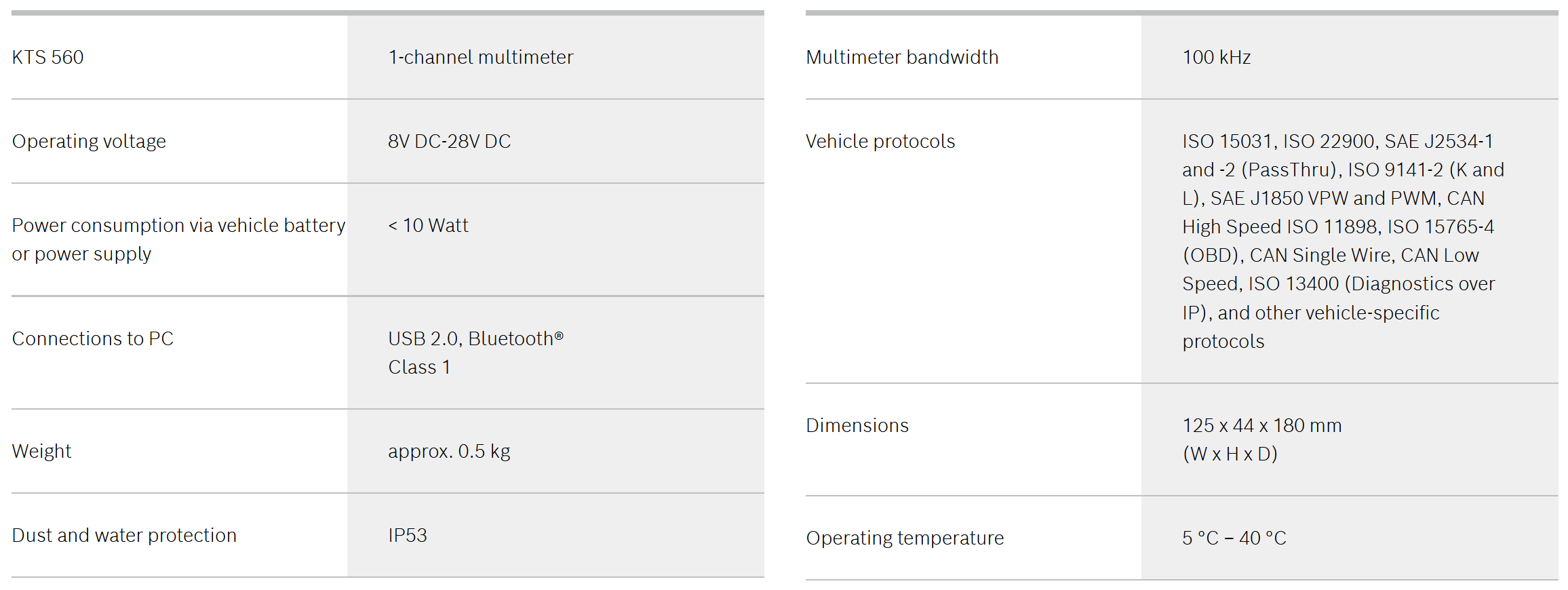
J2534 pass thru setup guide for Bosch KTS560 and 590 interfaces
Download and install the DLL software
This must be downloaded from the Bosch Euro 5 Pass thru website and installed. It is required for the KTS to work with the OE software.
Once you restart the software it will ask for a FW update connect USB and complete and then you should be good to go.
Diagnostic Device Control (DDC) Software


Reviews
There are no reviews yet.